Run your service operations from one workspace, not ten disconnected spreadsheets.
Replace manual follow-ups and tool switching with one system for jobs, reporting, and team coordination.
14-day free trialNo credit card required
10x
Faster setup
1
Unified workspace
24/7
AI assistance
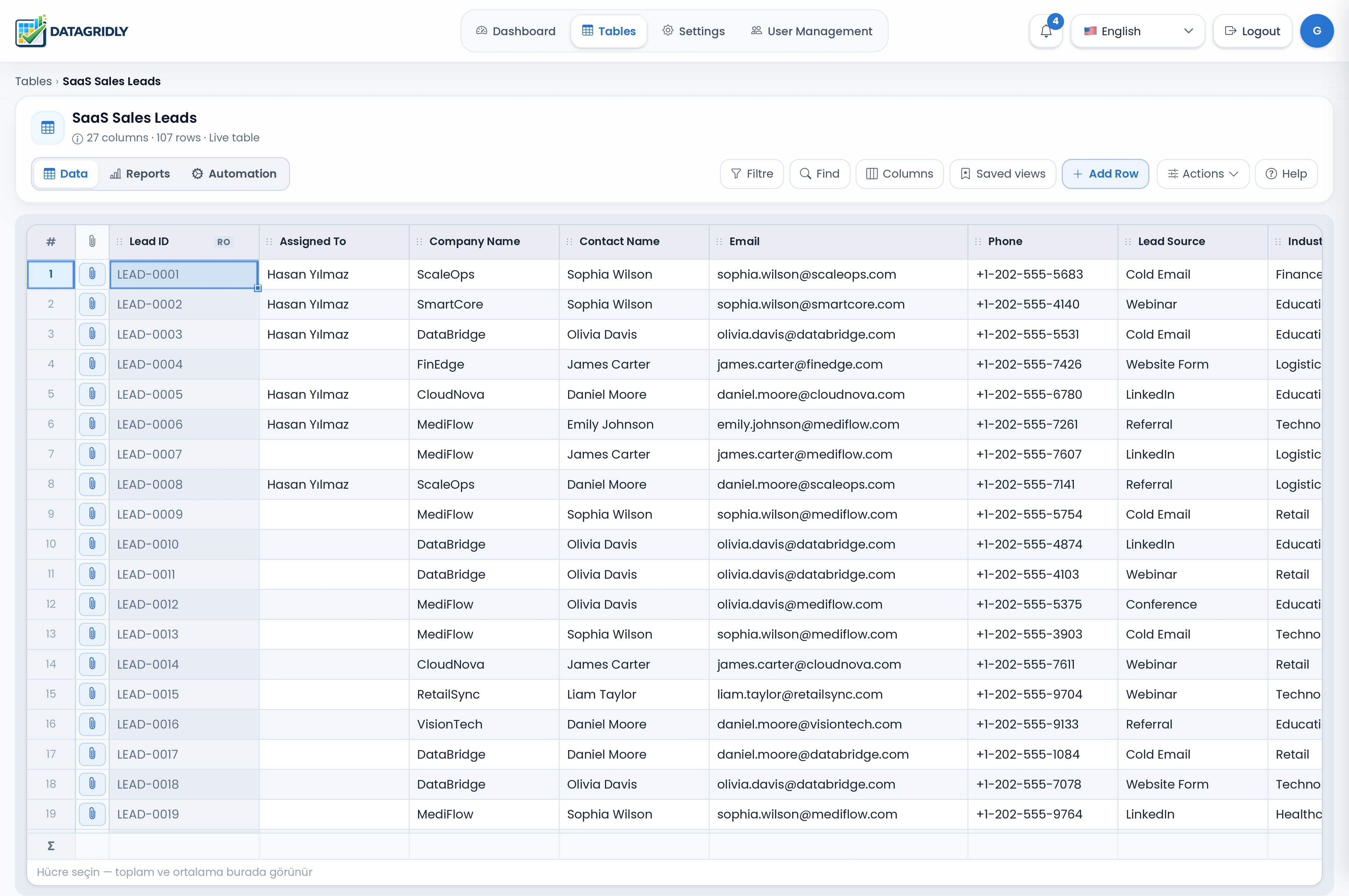
Built for service and operations teams that outgrow spreadsheets.
DataGridly keeps operational work structured, visible, and easier to report on—without adding another disconnected tool.
One workspace for daily operations
Jobs, assignments, customer records, and status updates stay in connected tables instead of scattered spreadsheets and chat threads.
Less manual follow-up work
Automations notify the right owner when a record changes, a due date passes, or a step is missing—without rebuilding your process in code.
Reporting from live data
Ask questions in plain language and review KPI summaries from the same records your team updates during the day.
Stop running service operations through scattered files and follow-up messages.
Service and field teams lose hours each week to manual status checks, delayed reporting, and disconnected records. DataGridly keeps jobs, updates, and decisions in one operational system.
Smart Tables
Create structured tables with custom fields, relations, formulas, and inline editing.
Track jobs, technicians, due dates, and customer records in one view.
AI Analytics
Ask questions in plain language and turn raw records into useful reports and insights.
Generate a weekly KPI summary by asking 'How many jobs were completed late last month?'
Automation
Trigger actions on row changes or on schedule to reduce repetitive admin work.
Automatically notify the right assignee when a service job becomes overdue.
Easy Integrations
Connect your existing tools through webhooks and APIs without changing your whole workflow.
Send completed-job updates to accounting or CRM tools through webhooks.
From setup to daily operations, everything stays simple.
DataGridly is designed so teams can get started quickly, manage data confidently, and automate the work that normally takes hours.
Smart table creation
Describe what you want to manage and generate a table structure with relevant columns, logic, and examples.
- Fast onboarding
- Flexible structure
- Built for every sector
Business automation
Create rules that update statuses, send emails, or trigger actions when something changes or becomes overdue.
- Scheduled workflows
- On row change triggers
- Reduced manual follow-up
AI reporting
Turn table data into summaries, trend analysis, KPI views, and decision-ready insights in seconds.
- Natural language queries
- Saved dashboards
- Actionable recommendations
Make better decisions without extra tools or extra complexity.
With DataGridly, your data becomes useful the moment it enters the system. Analyze performance, detect issues, automate routine work, and keep your team focused on what matters most.
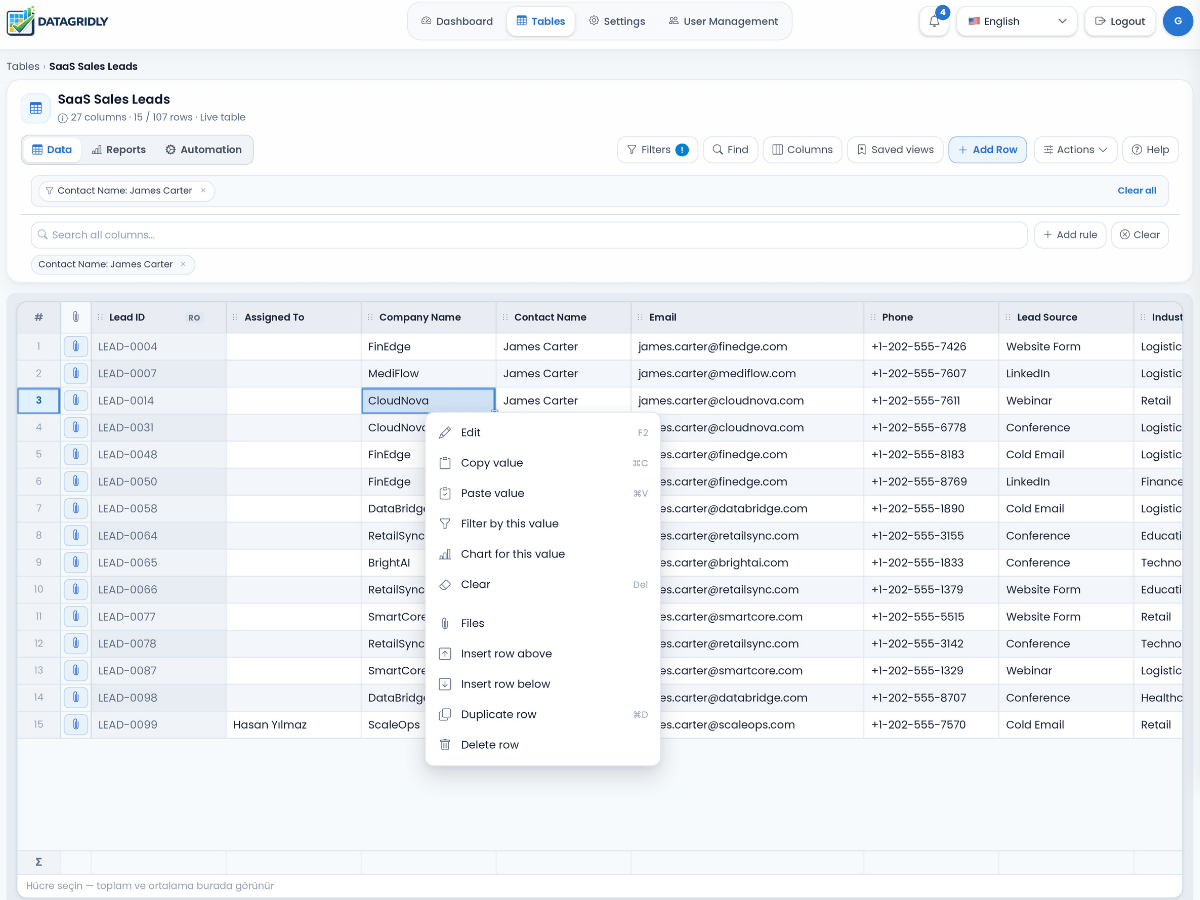
One platform, many workflows.
Whether you manage service records, finance, operations, clients, or internal processes, DataGridly adapts to your workflow.
Service Business Management
Coordinate jobs, field teams, customer records, and follow-ups in one operational system.
View use caseMaintenance Management
Track preventive schedules, reactive issues, technicians, and closure quality with less manual coordination.
View use caseFinance Tracking
Centralize invoice tracking, approvals, due dates, and collection workflows with stronger visibility.
View use caseField Operations Management
Improve dispatch speed, status visibility, and SLA control across distributed field teams.
View use caseSimple plans for teams that want to move faster.
Choose a plan that fits your current workflow, then scale as your data, automation, and reporting needs grow.
Starter
For freelancers and small teams getting started.
- Smart tables
- Basic automations
- Limited AI analytics
- Standard sharing
Growth
For growing teams running serious operations.
- Advanced automations
- AI analytics
- Webhook integrations
- Permissions and dashboards
Enterprise
For organizations that need custom setup and support.
- Custom onboarding
- Advanced security
- Tailored limits
- Priority support
Start simple, then scale your operations with confidence.
Launch your free trial to test your real workflow, then book a demo if you want a guided setup.
14-day free trial · No credit card required